

Concerned about what is going on at home when you are away? Many homeowners and small business owners feel the same thing. By setting up a security system you do not need to be stressed as a smart indoor security camera allows you to monitor your property or people you love or your workplace in real time, even when you are not available in the place. It is a blog that will guide you to all essential information about being a beginner: which camera to purchase, which are the best places to take the photo, how to connect various devices, and how to adjust the settings to ensure maximum security. At the conclusion, you will have a straightforward and practical setup plan that works.
Why Indoor Surveillance Cameras Are Essential
The surveillance cameras for business will provide assurance, security and guarantee that businesses, family and house remain safe. The homeowner survey of 2024 came up with the results that 62% of individuals felt safer when they installed cameras. In addition to safety, they enable you to:
- Monitor pets and children remotely
- Detect unusual activity instantly.
- Reduce theft risks
- Integrate with smart home systems.
It is important to select the right camera. Search by such features as night vision, motion detection, cloud storage and smartphone alerts.
Selecting the Best Spot
Placement is everything. For maximum coverage:
- Entry Points: Doors, windows, and hallways
- High-Traffic Areas: Living rooms or kitchens where activity is frequent
- Avoid Obstructions: Keep cameras clear of lamps, furniture, or curtains.
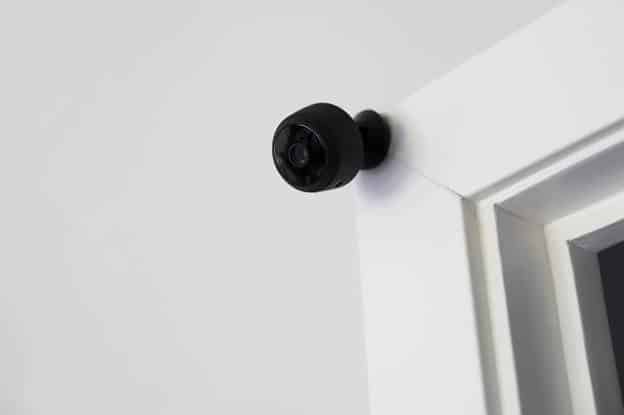
Height Matters: Install mount cameras that are slightly higher than eye level so as to capture the face.
The right camera is one that is where you have got a good shot and can be able to react as soon as necessary.
Connecting Your Camera
Indoor video cameras are mostly Wi-Fi-powered. A hassle-free setup includes:
- Power your device and ensure it’s in range of your Wi-Fi
- Download the manufacturer’s app on your smartphone.
- Go through the in-app instructions to have the camera connected to your network.
- Update firmware immediately to access the latest security features.
Check the live feed to ensure that the camera angle, resolution and motion alerts are all properly functioning.
Configuring Settings for Optimal Security
Once connected, configure settings for maximum efficiency:
- Motion Sensitivity: Adjust to avoid false alerts from pets.
- Notifications: Enable push alerts or email updates.
- Recording Options: Choose continuous recording or motion-triggered clips.
- Cloud Backup: Ensure footage is safely stored and accessible remotely.
Bonus tip: Some cameras are capable of being linked to voice assistants and smart home systems so that the camera reacts to them.
Testing and Troubleshooting
Before considering the setup complete:
- Walk through the monitored areas to check coverage.
- Trigger motion detection to ensure alerts are working.
- Adjust angles or sensitivity if needed.
- Ensure app notifications are consistent and reliable.
A test run helps avoid blind spots and ensures your system operates as intended.
Practical Lessons from Homeowners
Many beginners make these common mistakes:
- Placing cameras too low, capturing furniture instead of faces
- Ignoring Wi-Fi range issues, causing lag or disconnects
Abandoning the credentials to enter the login in favor of unauthorized access. Avoiding these pitfalls ensures your indoor surveillance system delivers peace of mind.
Conclusion
It is not as hard as many individuals believe to install a smart indoor security camera. When well placed, well set up and well tuned, you will be able to secure your house and the people you love. Begin small, test your system and increase coverage where necessary. Need to upgrade your home security? Eguardee provides stable solutions to all needs.
FAQs
1. How do I choose the right indoor surveillance camera?
Look for Wi-Fi compatibility, motion detection, night vision, and app integration to suit your home’s needs.
2. Can I install a smart indoor security camera myself?
Yes, most modern cameras are designed for DIY installation with clear instructions and mobile app guidance.
3. How do I ensure my camera footage is secure?
Use strong passwords, enable two-factor authentication, and choose cameras with encrypted cloud storage.
4. Where should I place indoor cameras for best coverage?
Focus on entry points, high-traffic areas, and mount slightly above eye level to capture clear footage.
